A desktop client for working with Git
GitCron began with a personal need: managing Git through a friendly, intuitive interface rather than relying on the command prompt for everyday tasks. I wanted to bring those operations into a visual environment that I could navigate clearly.
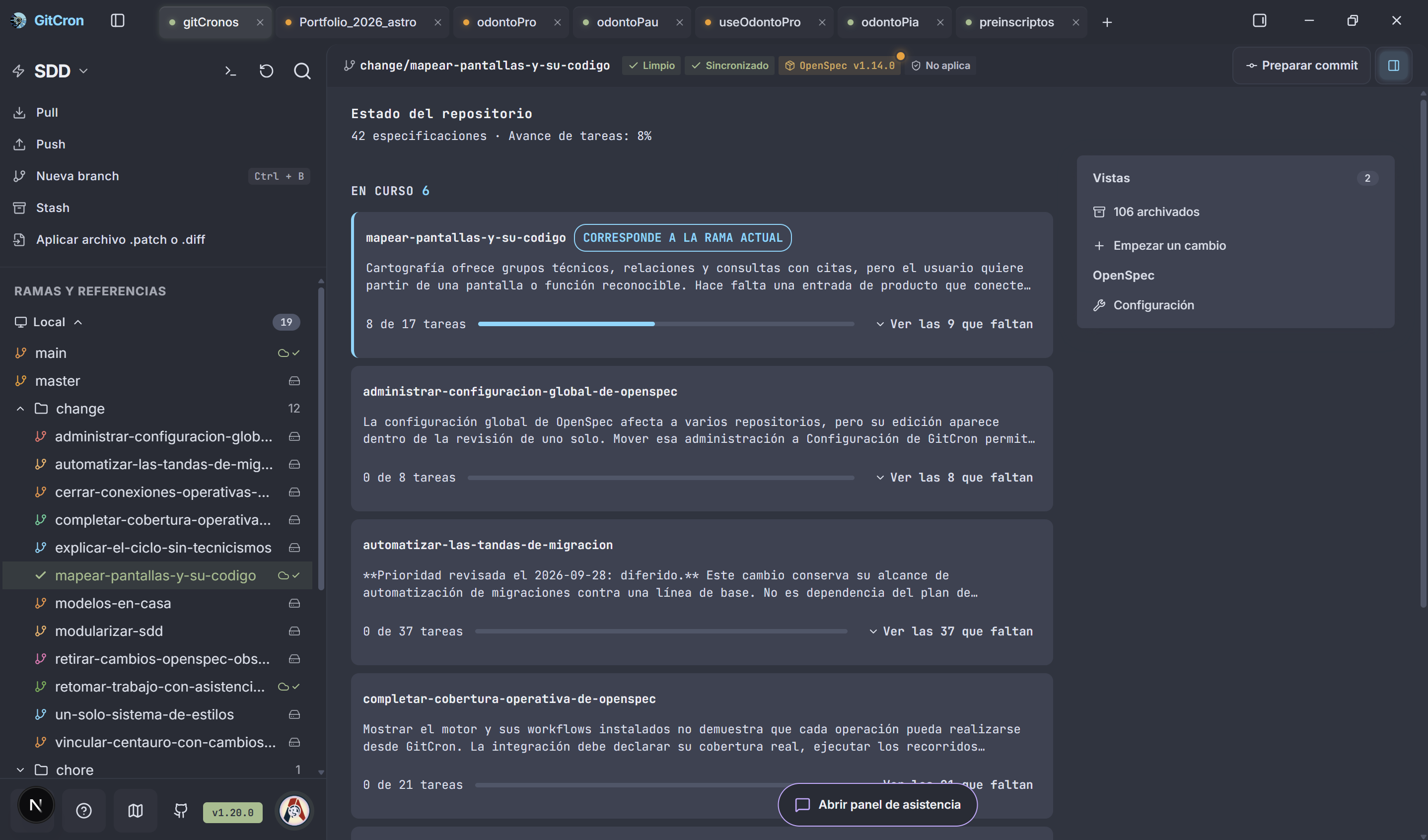
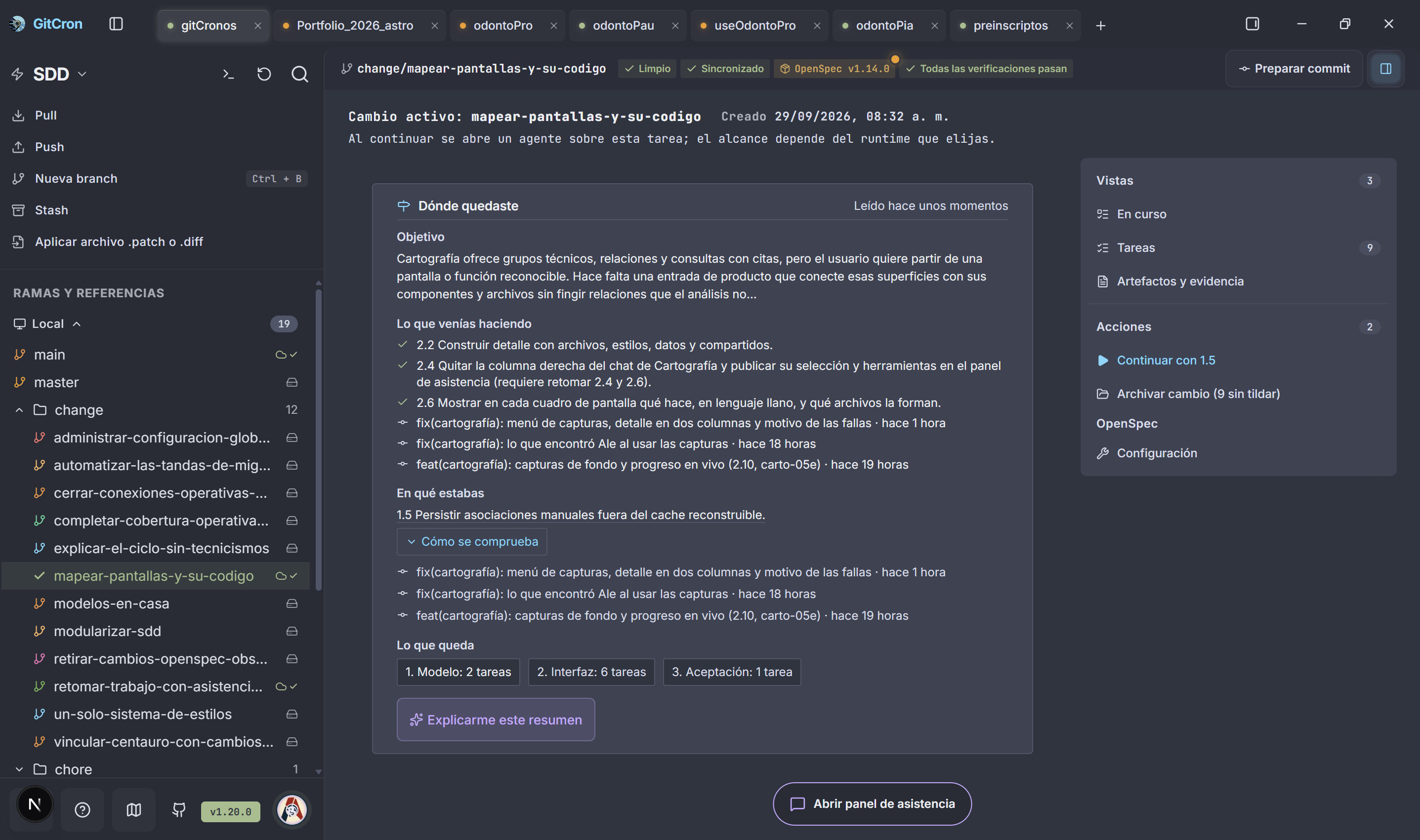
Over time, the project grew closer to my own working methodology. It continues to evolve: beyond repository management, it incorporates OpenSpec, diagrams for understanding project structure and AI assistance across different screens.
From a Git client to my working environment
The project’s evolution connects three ways of looking at the same work. Git tracks changes; OpenSpec organizes the definition of the intended change; and diagrams help show how the project is built and structured.
AI integration supports processes across the different screens. This combination has moved GitCron toward an interface tied to the way I work, keeping project context present when moving between planning, structure and changes.
Visual history and local operations
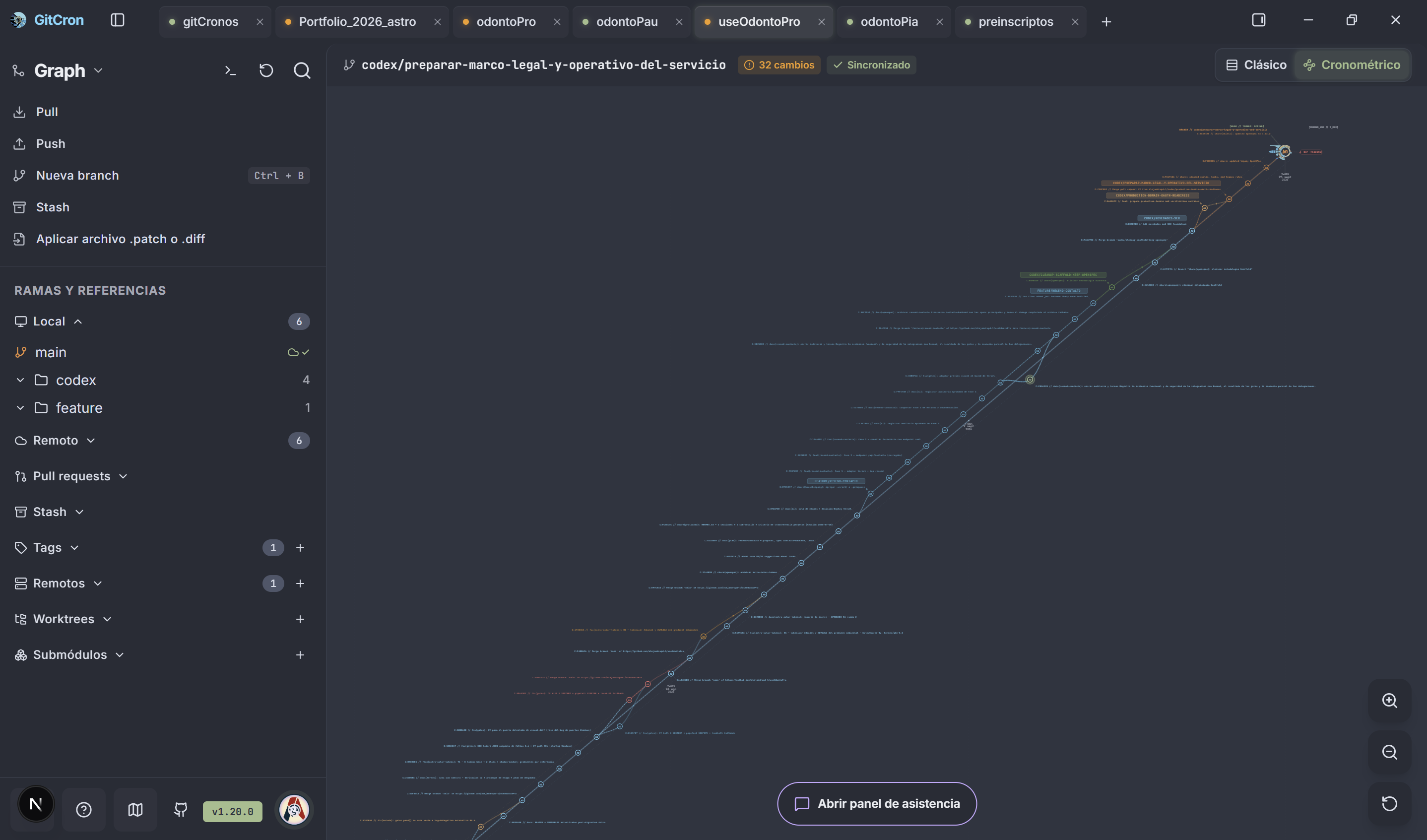
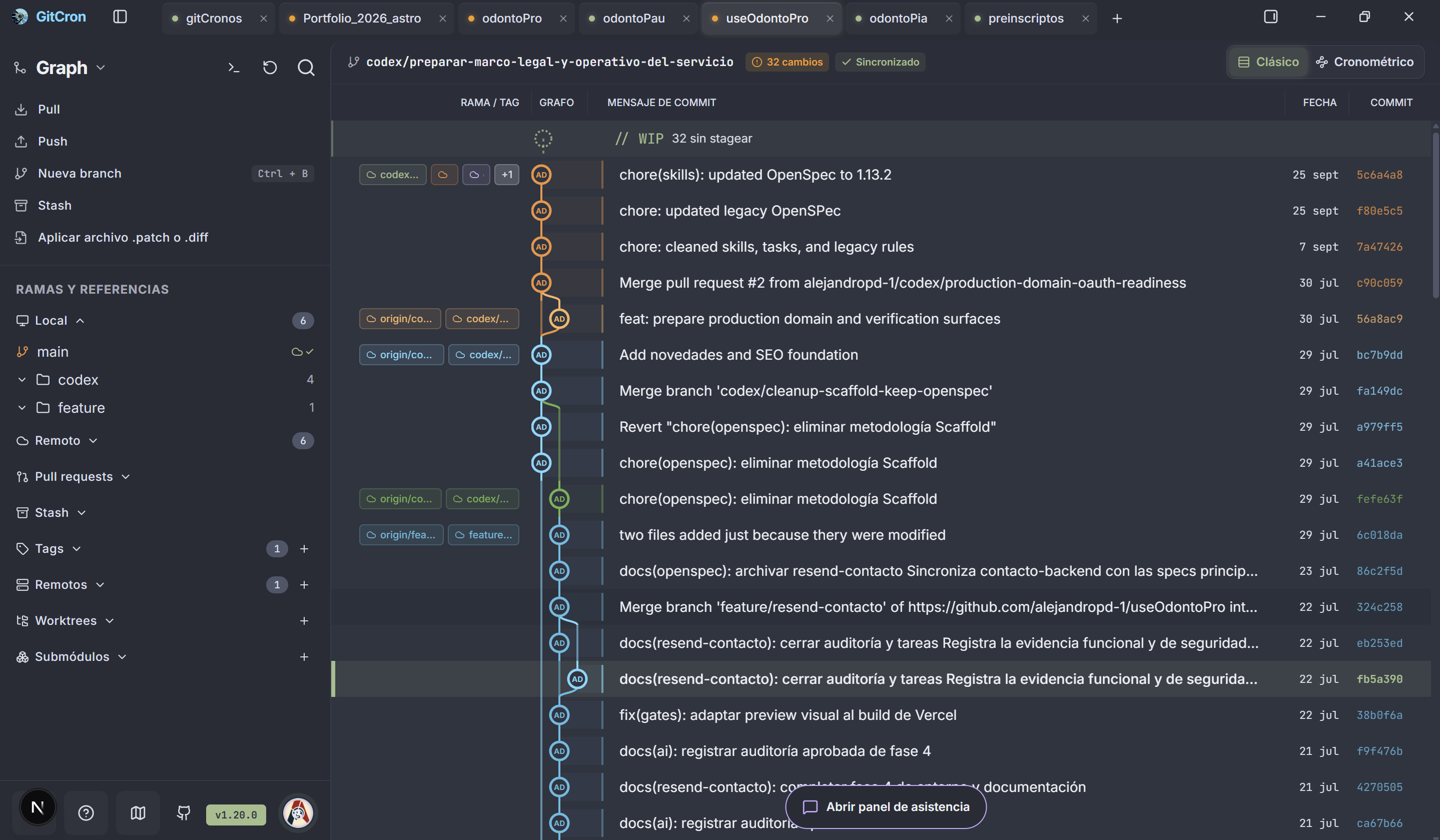
The history and graph help users explore commits and branches. Change and commit-preparation views support work on a repository. Electron connects an interface built with web tools to the desktop environment.
GitHub integration is another part of the product. This article describes its documented scope; available versions and the workflows to demonstrate in the portfolio will be selected separately.
Three layers of the same tool
Read the repository
The graph, history and branch references organize how the project is explored. The interface distinguishes that activity from working on changes that are not yet part of a commit.
Prepare the next change
Unstaged and staged changes occupy distinct areas. The commit area brings together the message and actions associated with that preparation.
Keep the context
Contextual assistance sits alongside the repository. The selected screenshots show conversations and access to inquiry actions within the same workspace.
An interface between the desktop and Git
The foundation combines Electron with an interface in Next.js, React and TypeScript. The design work spans both the visible screen and the presentation of operations and their states.
Separating history, local changes and contextual assistance organizes three moments of the workflow: understanding what already happened, preparing the next change and consulting the context within the application.
My contribution
I led the complete work: concept, UX/UI design, development and content, with AI tools assisting throughout the process. For GitCron, this combines product decisions with building an application that operates on real files and history.
A process supported by AI
I used Google Stitch, Claude, Codex, Antigravity and local Qwen as part of the design and development process. I directed the project, made product decisions and integrated the work. Photoshop, Illustrator and Figma were also part of the toolset.
Graph, SDD and Cartography
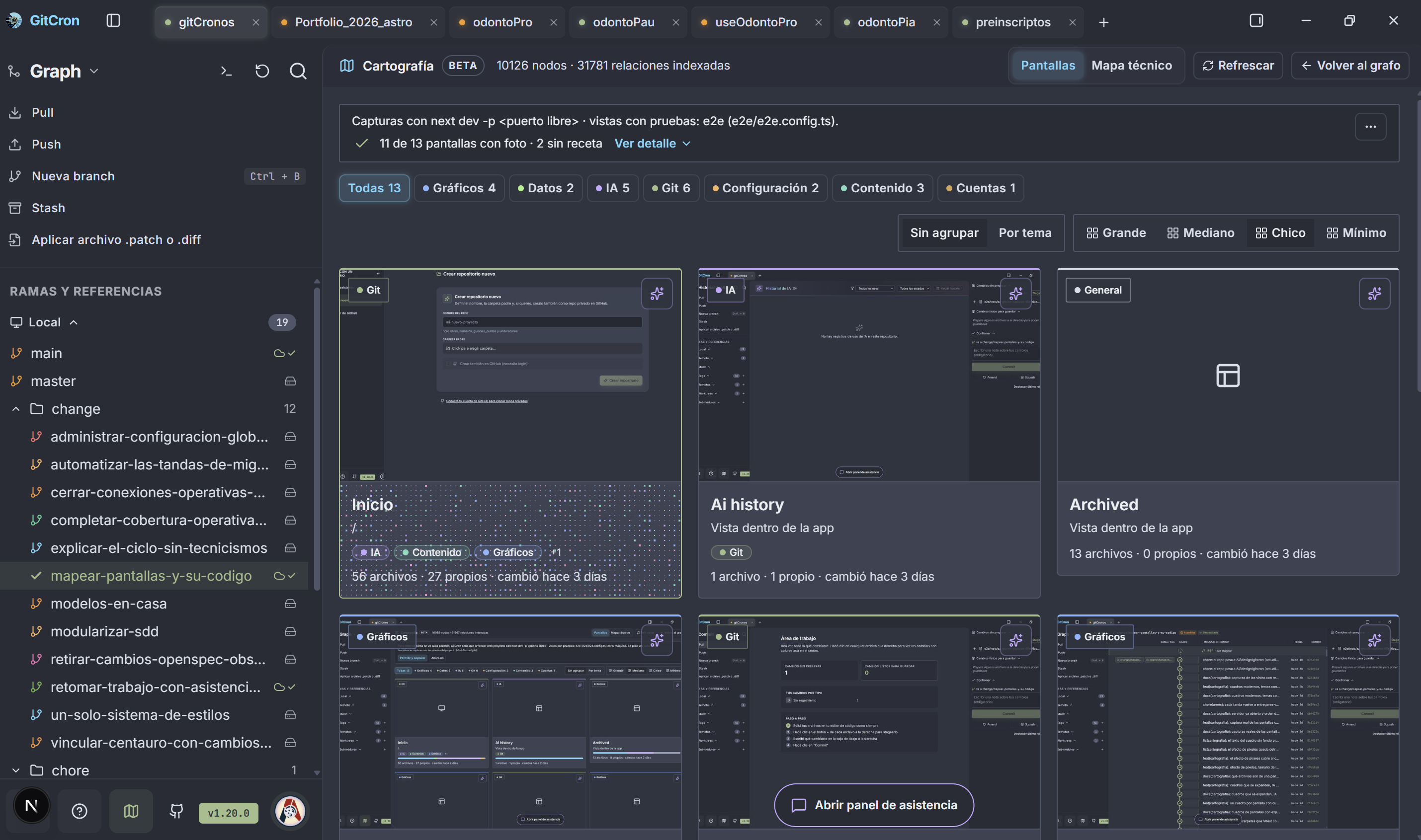
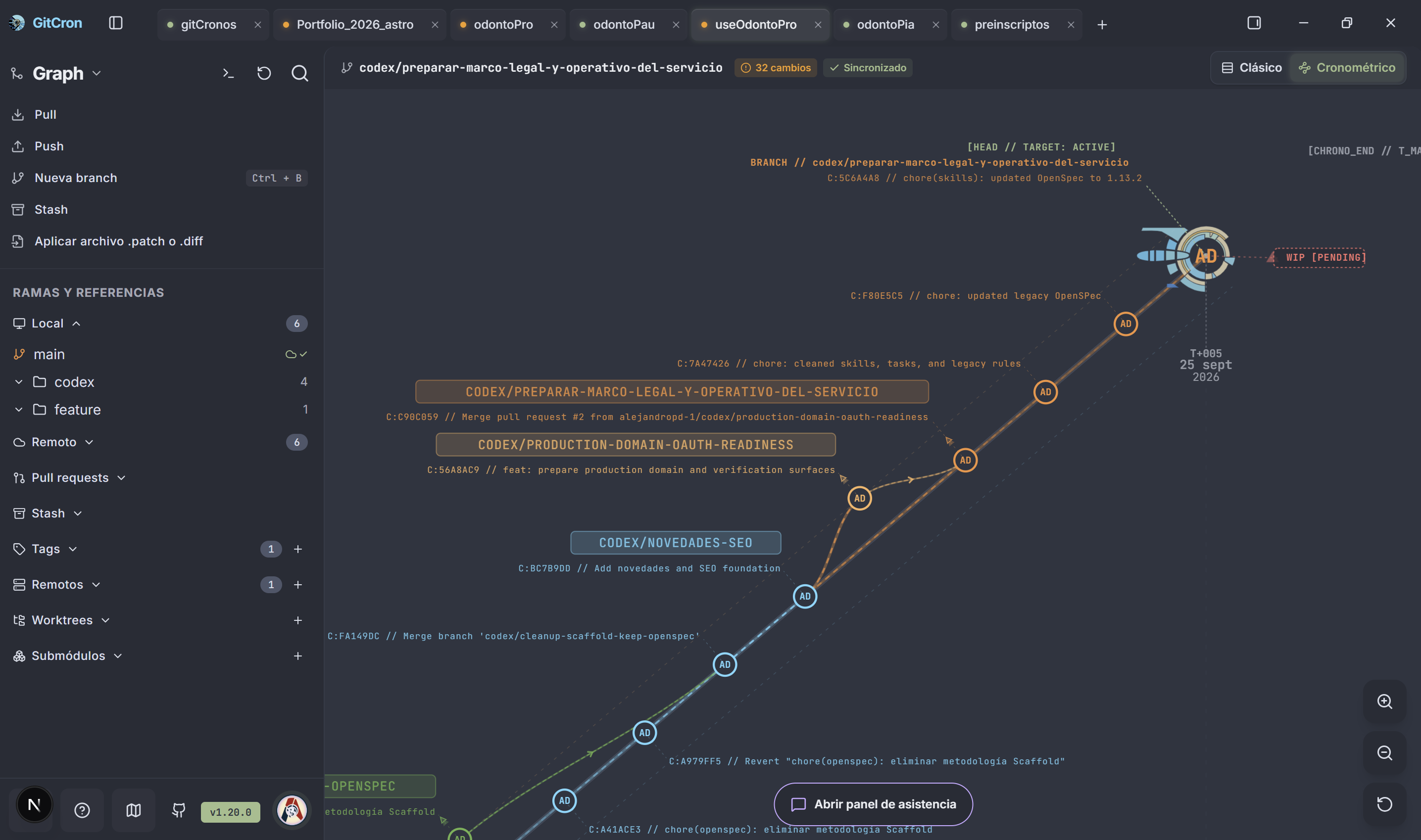
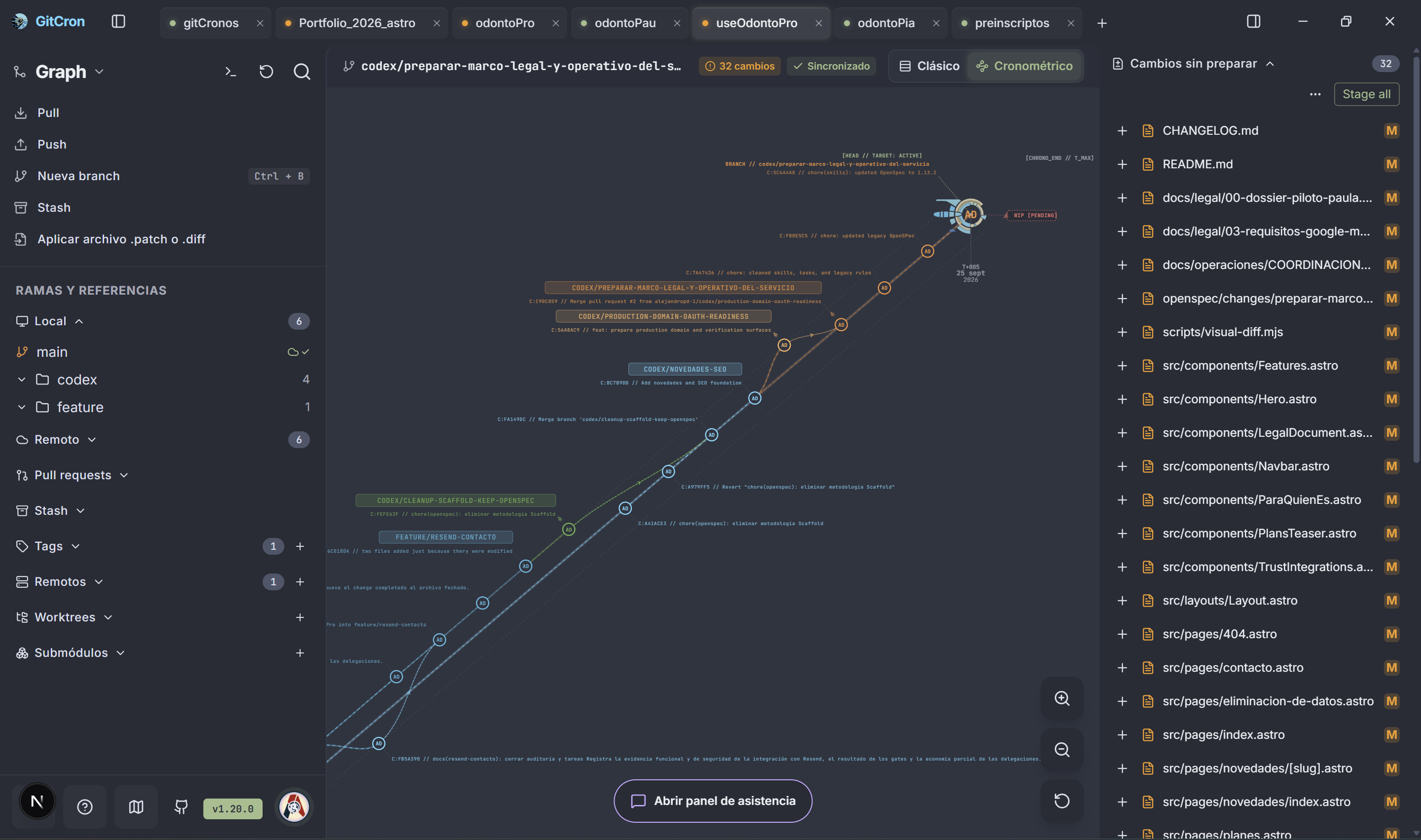
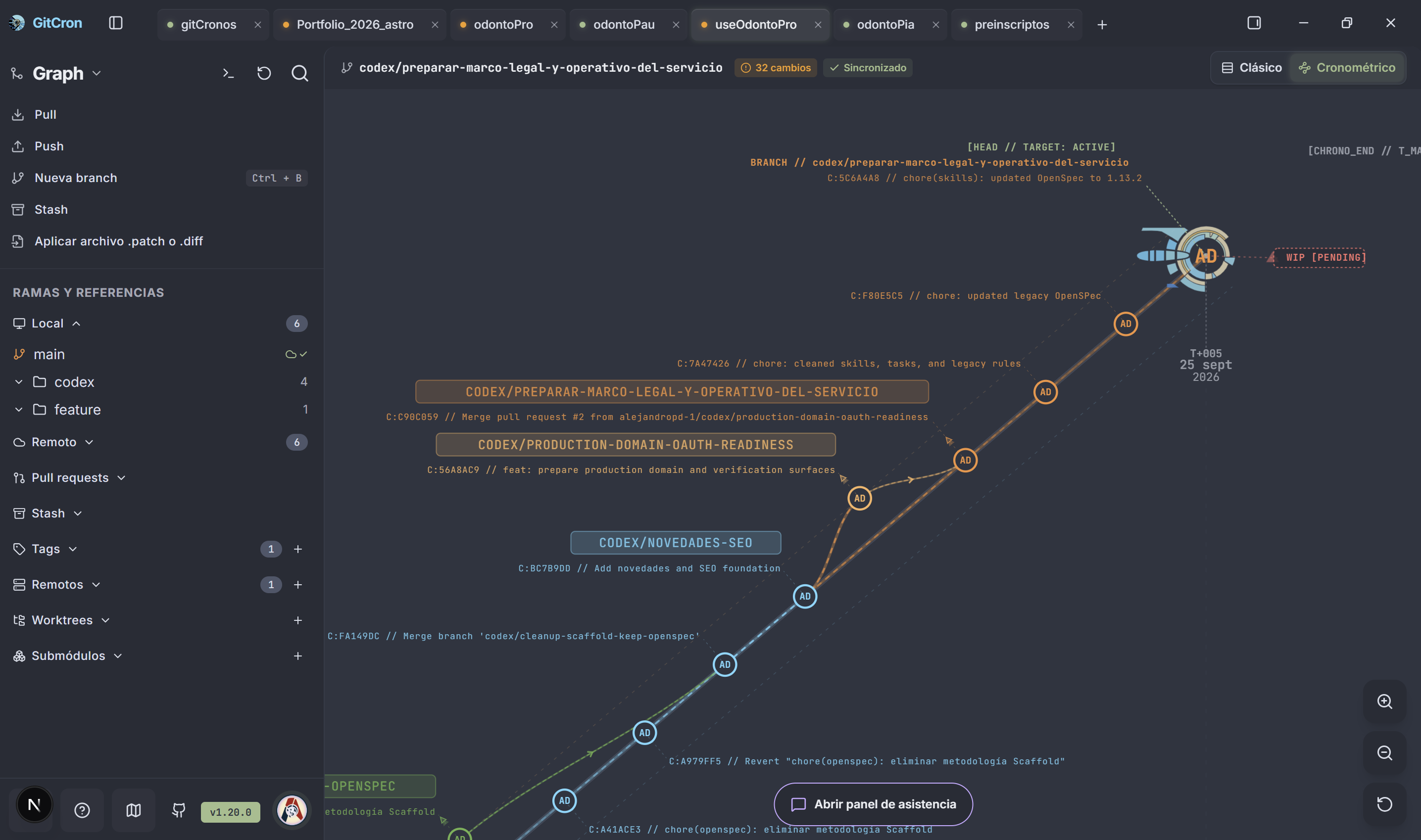
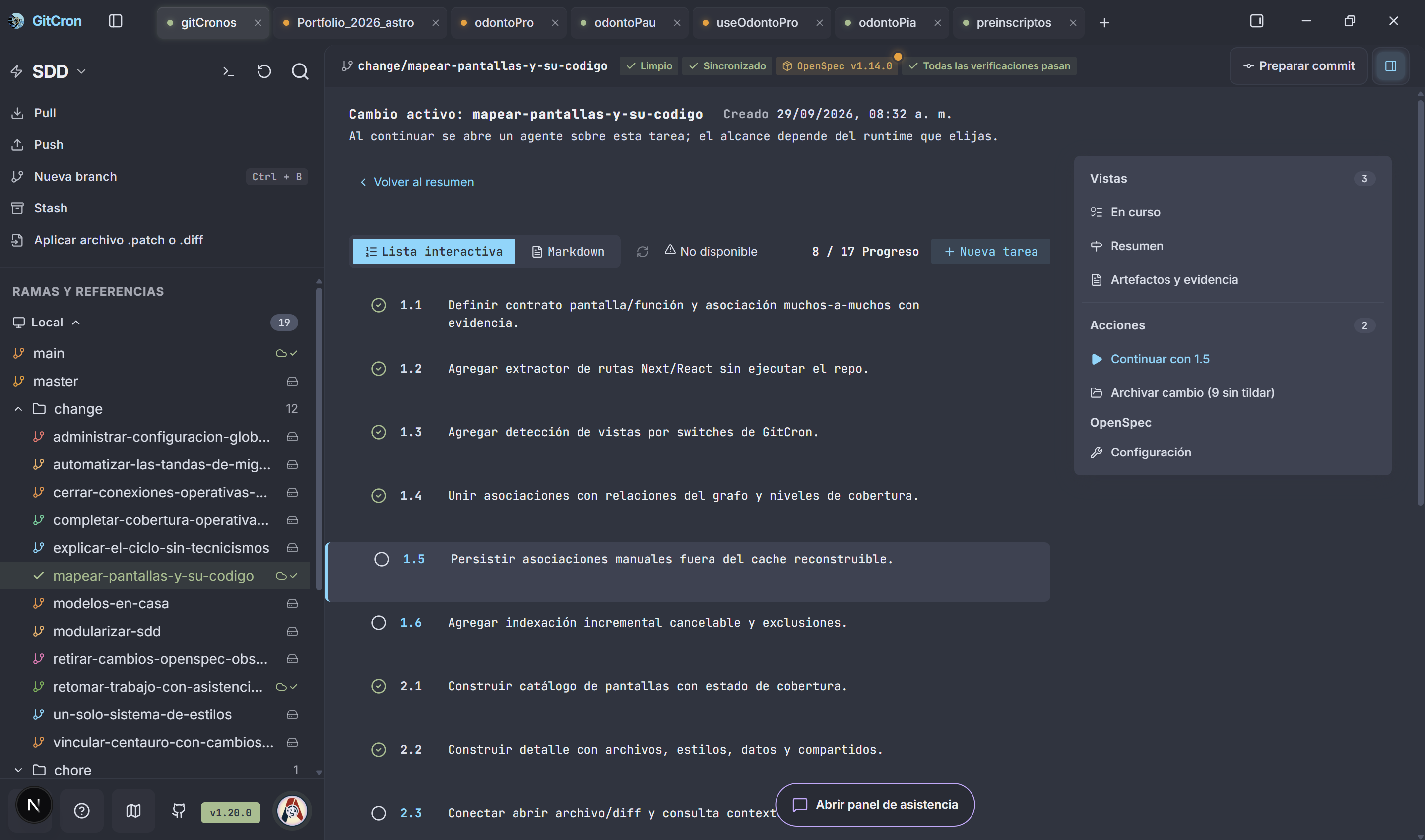
These screenshots show different GitCron features: Classic and Chronometric Graph views, the SDD workspace with OpenSpec changes and tasks, and the Cartography screen catalog.
They were supplied from my working environment. The progress indicators and repository information visible in them describe the captured moment.
Graph · Classic and Chronometric
SDD · OpenSpec changes and tasks
Cartography · project screens